
Take your agent live
The final step — deploy your agent so it starts answering real calls on your number. Two clicks, step by step.
You've built your agent, taught it about your business, and tested it. The last thing to do is take it live so it starts answering real calls on your number.
Until you deploy, your agent is a draft — it's saved and you can test it, but it won't pick up real calls. Going live is the switch that turns it on, and it takes two clicks.
Test it first
Give your agent a quick call on the Test your agent step before you deploy. Once it sounds right, you're ready to go live.
Step 1: Deploy your agent
On the last step, Test your agent, the button in the bottom-right corner changes from Next to Deploy your agent. Click it when you're happy with everything.
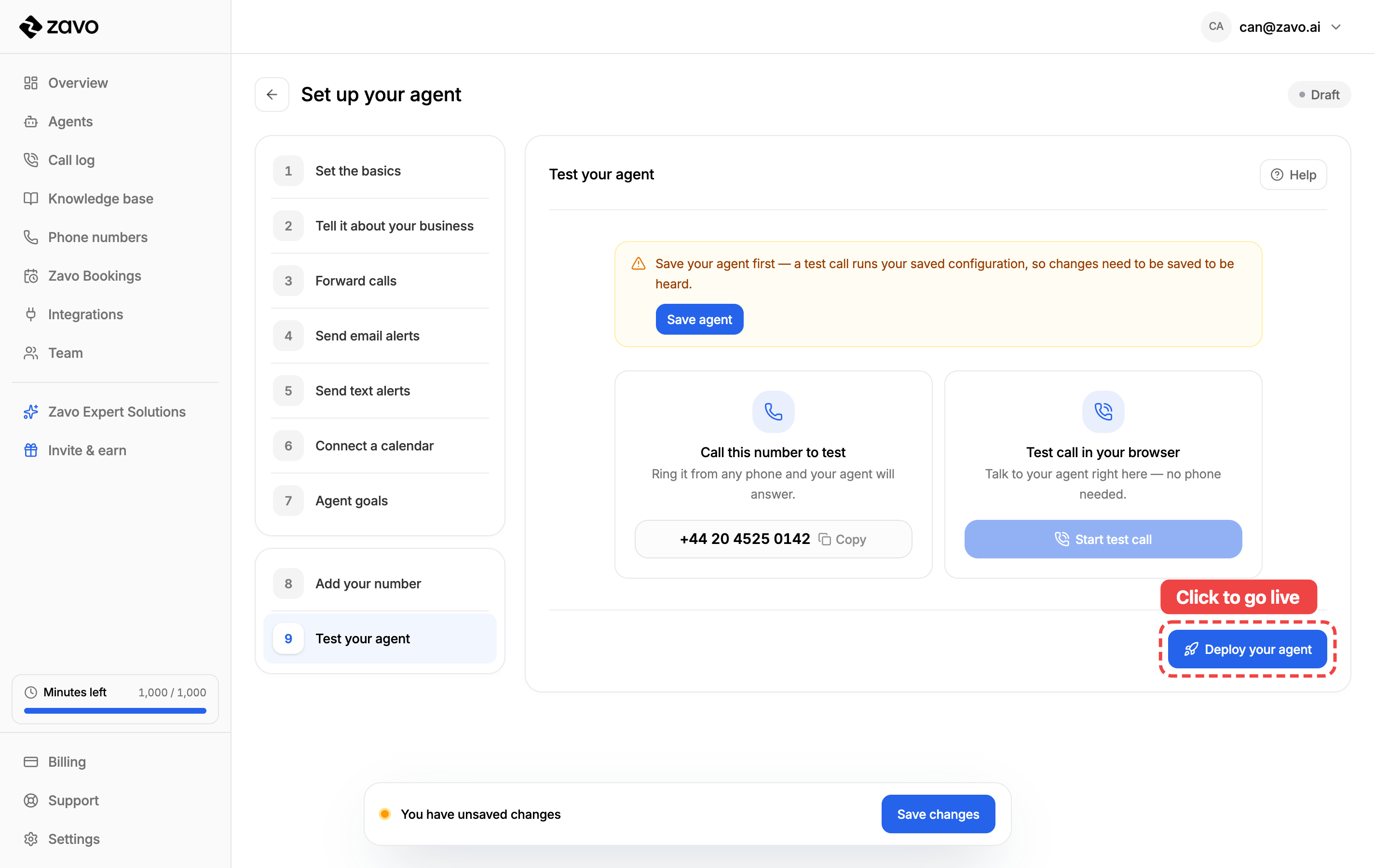
Notice the Draft badge in the top-right — that's your agent's status. It flips to Live the moment you deploy.
Step 2: Confirm and go live
A confirmation pops up. Check the number shown — calls to that number will be answered by this agent — then click Deploy & go live.
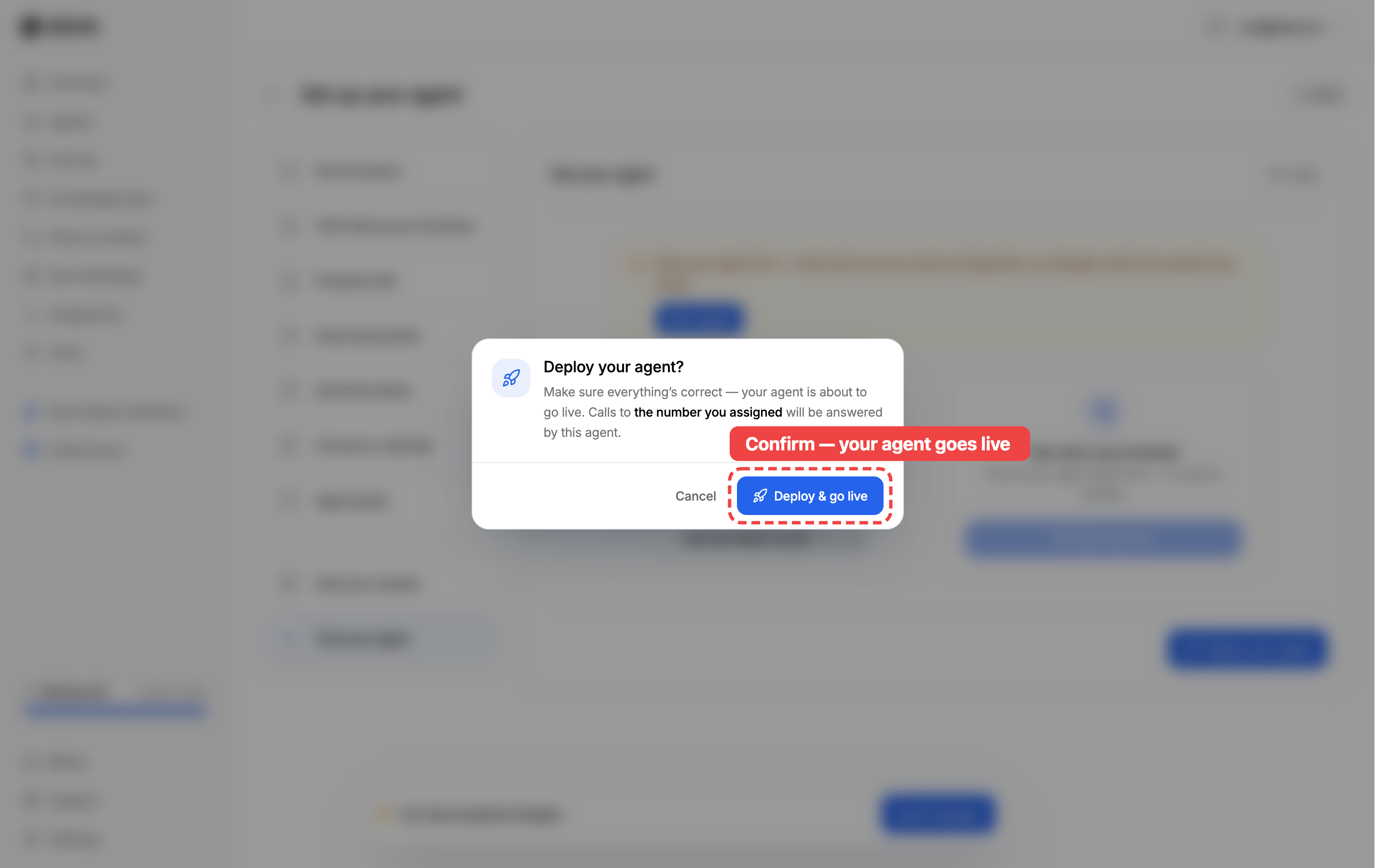
That's it — your agent is live. 🎉 From now on, calls to your number are answered by your agent, day and night.
What happens now
- Your agent shows as Live (green) in the Agents list.
- Calls to the number you assigned are answered straight away — no extra setup.
- Give it a real call to hear it in action.
Keep improving it
Going live isn't final. Open your agent any time from the Agents list, make changes, and save — your updates apply to the next call.
Pause or turn it off
Need to take your agent offline? In the Agents list, open the ⋯ menu on your agent:
- Edit — open it back up to change anything.
- Disable — stop it answering calls, without losing any of your setup. Enable it again whenever you're ready.
- Delete — remove the agent for good.
Tips for going live
- Do a real test call first. Ring the number yourself and listen as a caller would before you rely on it.
- Tell your team. Let everyone know the number is now answered by your agent, so no one's surprised.
- Check back on the call log. After your first live calls, review how they went and tweak your agent's knowledge or instructions if needed.